Key takeaways
- A video podcast reaches viewers on YouTube and listeners on podcast apps from one recording.
- Multi-camera cuts between speakers keep long conversations watchable.
- Clips are where most new viewers first discover a show.
- Clean sound still matters more than the picture.
01Why podcasts are going video-first
Filming a podcast adds very little effort to the recording, but it opens new places for the show to be found. A video episode can live on YouTube, short clips can travel on Instagram and LinkedIn, and guests can share their best moments with their own audience.
Seeing the hosts also builds trust faster. Viewers connect with faces and reactions in a way audio alone cannot match.
02What a video podcast edit involves
Syncing cameras and microphones
Every camera and microphone is lined up to the same moment, so cuts are seamless and every voice comes from its own microphone.
Cutting between speakers
The edit follows the conversation: who is talking, who is reacting, and when a wide shot shows both. Good cuts make a long talk feel shorter.
Sound clean-up
Background noise, echo and uneven levels are fixed, so both voices sit at the same volume.
Titles, captions and inserts
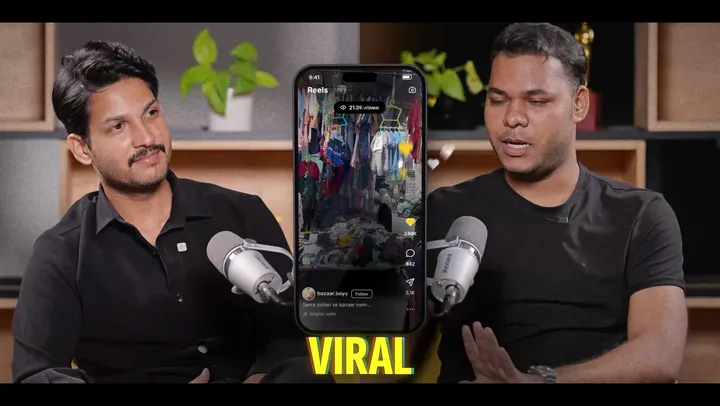
Name titles, captions, and inserts such as screenshots, news clippings or phone screens back up what is being said.
 Our servicePodcast editingSee how we edit podcasts
03Cold opens: start with the best moment
Many shows now open with a 20 to 40 second cold open: the strongest exchange from the episode, placed before the introduction. It tells viewers why this episode is worth an hour of their time.
Our own podcast intros use this approach, building the opening from the strongest lines and backing them with graphics as proof.
Want this done for your videos?
Send us your footage and a short brief. We reply within one working day with a plan, a price and a delivery date.
04Turning one episode into a week of clips
One recording can feed your channels all week. Each clip needs to stand on its own:
- Pick moments with a clear start and end: a story, a strong opinion or a useful answer.
- Reframe for 9:16 with the speaker centred, or stack two speakers on top of each other.
- Add captions and a short hook line at the top.
- Point viewers to the full episode in the caption.
05Remote podcasts
Remote shows recorded on Zoom, Riverside or StreamYard can look just as good as studio shows. The key is recording each person's video and audio separately, on their own device, rather than only the combined call.
In the edit, speakers are laid out side by side or one at a time, with matched sound so nobody sounds like they are in a different room.
06Recording tips that make editing easier
- Give every person their own microphone.
- Clap once at the start, so cameras and microphones are easy to sync.
- Leave space above and around each speaker, so the vertical crop for clips works.
- Keep the cameras rolling between segments. Some of the best clips happen off-script.
- Record ten seconds of silence in the room, which helps remove background noise.
Frequently asked questions
Do I need several cameras for a video podcast?
No. One camera works well. Two or three cameras give the editor more angles to cut between, which keeps long episodes more watchable.
How long does video podcast editing take?
Clips come back within 48 hours. A full episode usually takes three to four working days.
Can I still publish on Spotify and Apple Podcasts?
Yes. The same recording gives you a clean audio file for every podcast app, alongside the video version.
How many clips should I make from one episode?
It depends on how often you post. Tell us your schedule and we pick the strongest moments to fill it.